
Realtimer
Live answers from your own files during client calls on Mac and Windows, with no bot in the meeting
About
Realtimer is a desktop app for Mac and Windows for client calls in Zoom, Google Meet, Teams, WhatsApp or any other call app. It listens on your computer, so nothing joins the meeting. When the client asks about price, terms or a competitor, you press a key and an answer from your own files appears in about a second, with the source. After the call it writes notes with decisions and next steps. On Pro, Claude can read your saved calls through our connector, prepare you for the next call and draft the follow-up. The window is hidden from screen sharing, and audio is never stored. The free version works with your own API keys; Pro is €29 a month with AI included and a 7-day trial; Team is €49 per seat a month, after a 14-day pilot on your data.
Features
Answers from your own files
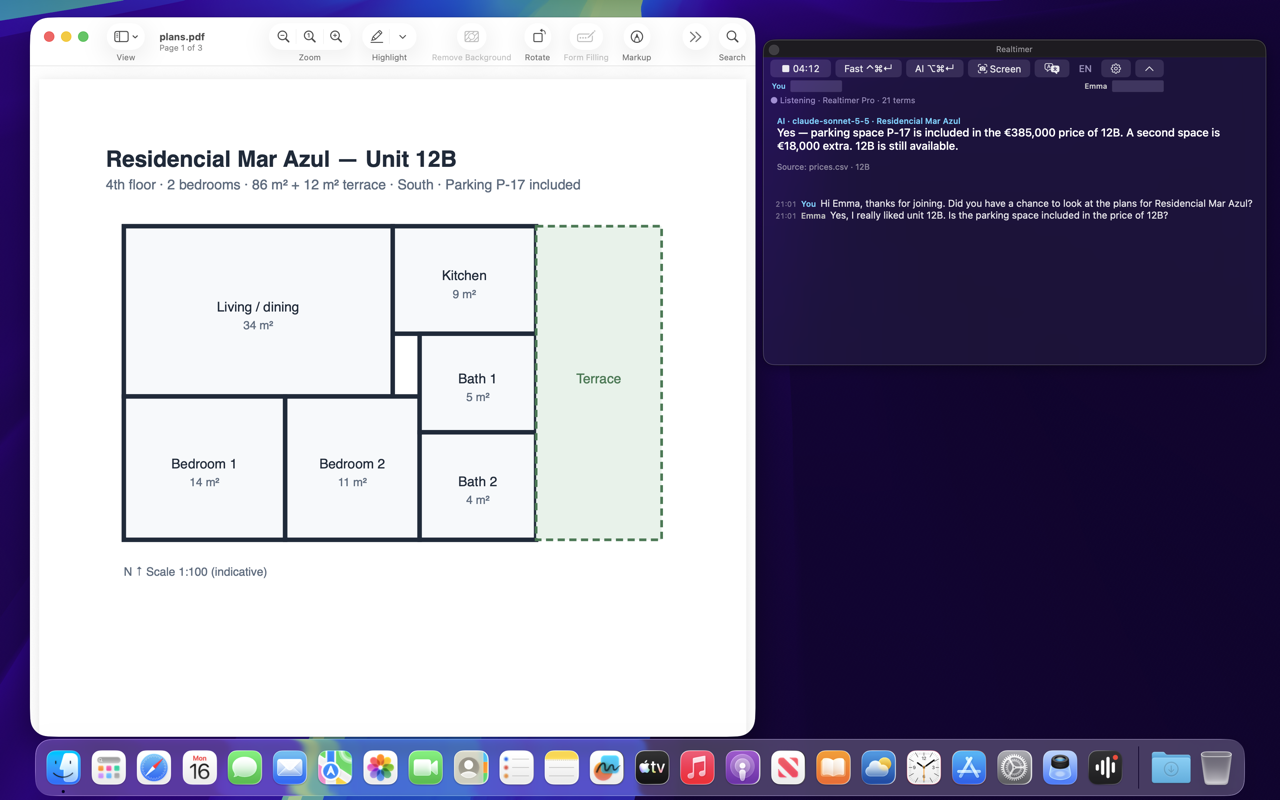
When the client asks about price, terms or a competitor, press a key and an answer from your price lists, contracts, playbooks or floor plans appears in about a second, with the source file shown.
No bot in the meeting
Realtimer runs on your computer next to Zoom, Google Meet, Microsoft Teams, WhatsApp or a web dialer. Nothing joins the call or appears in the participant list.
Live transcription
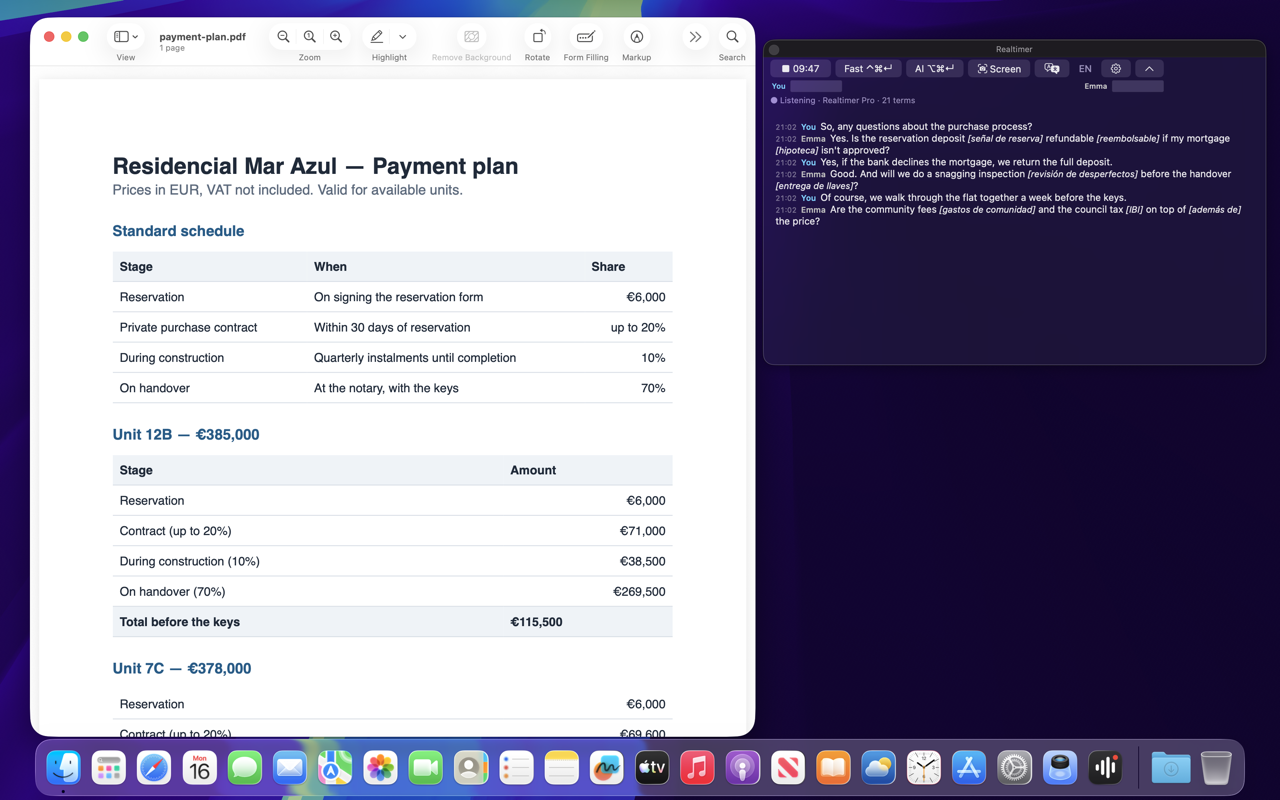
Both sides of the call are transcribed as you talk: 60+ languages on Pro and Team, nine on Free, plus a multilingual mode for calls that switch languages.
Notes after the call
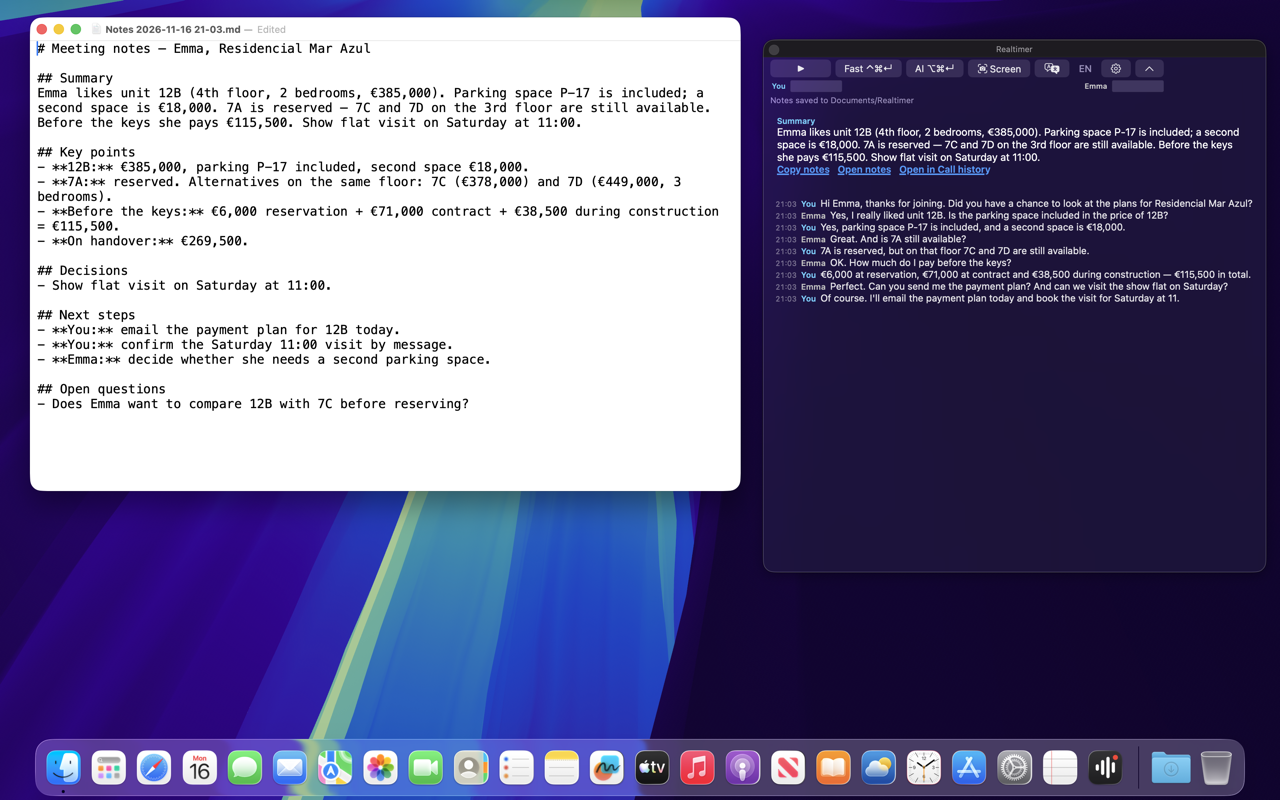
When you press Stop, Realtimer writes a summary, decisions and next steps, shaped by your call brief.
Private by design
- The window is hidden from screen sharing, screenshots and recordings
- Audio is never stored
Claude connector
On Pro and Team, Claude can read your saved calls (read only), prepare a brief before the next call and draft the follow-up.
How it works
Step 1: Install Realtimer
Download the desktop app for Mac or Windows from realtimer.ai. The free version runs on your own API keys; Pro includes AI and transcription.
Step 2: Add your files
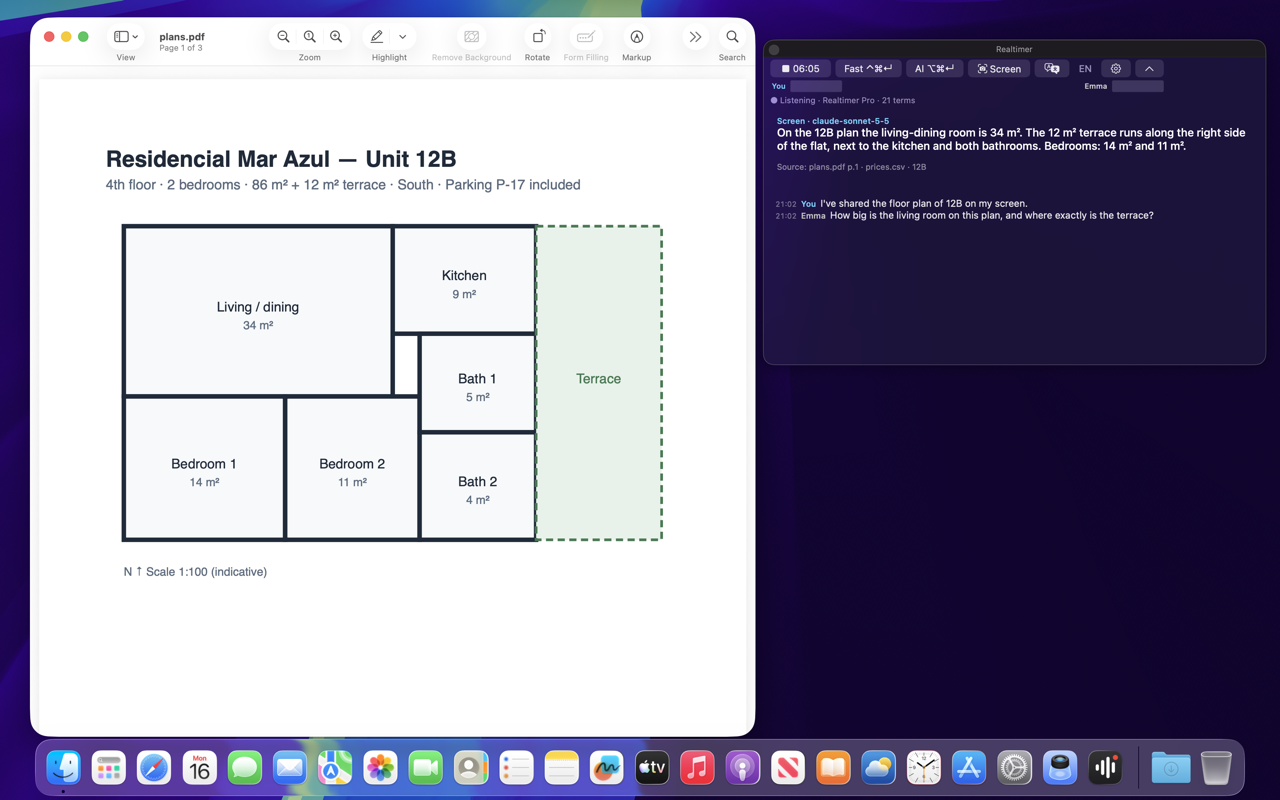
Add price lists, contracts, playbooks or floor plans to a knowledge base. Realtimer reads them, including text in scans and images.
Step 3: Pick a call brief
Tell the AI who you are and what the call is for, such as a B2B discovery call or a first call with a property buyer.
Step 4: Ask during the call
When the client asks a question, press Fast for a short answer in about a second or AI for a fuller one. The source file is shown under the answer.
Step 5: Get the notes
Press Stop and the summary, decisions and next steps are ready.
Use Cases
Sales reps and founders
Answer pricing, contract and competitor questions on the call instead of saying "let me get back to you".